Server/Proxmox VE
[Proxmox VE] Proxmox GPU Passthrough (Ubuntu 22.04) #6
Co + X-factor
2025. 10. 27. 13:30
"Proxmox VE" 호스트 PC 위에 게스트 Ubuntu VM에서 NVIDIA GTX 1050 Ti GPU를 "Passthrough" 하여 CUDA 기반 AI 모델들을 TEST 할 수 있습니다.

1.1 IOMMU(Input/Output Memory Management Unit) 활성화
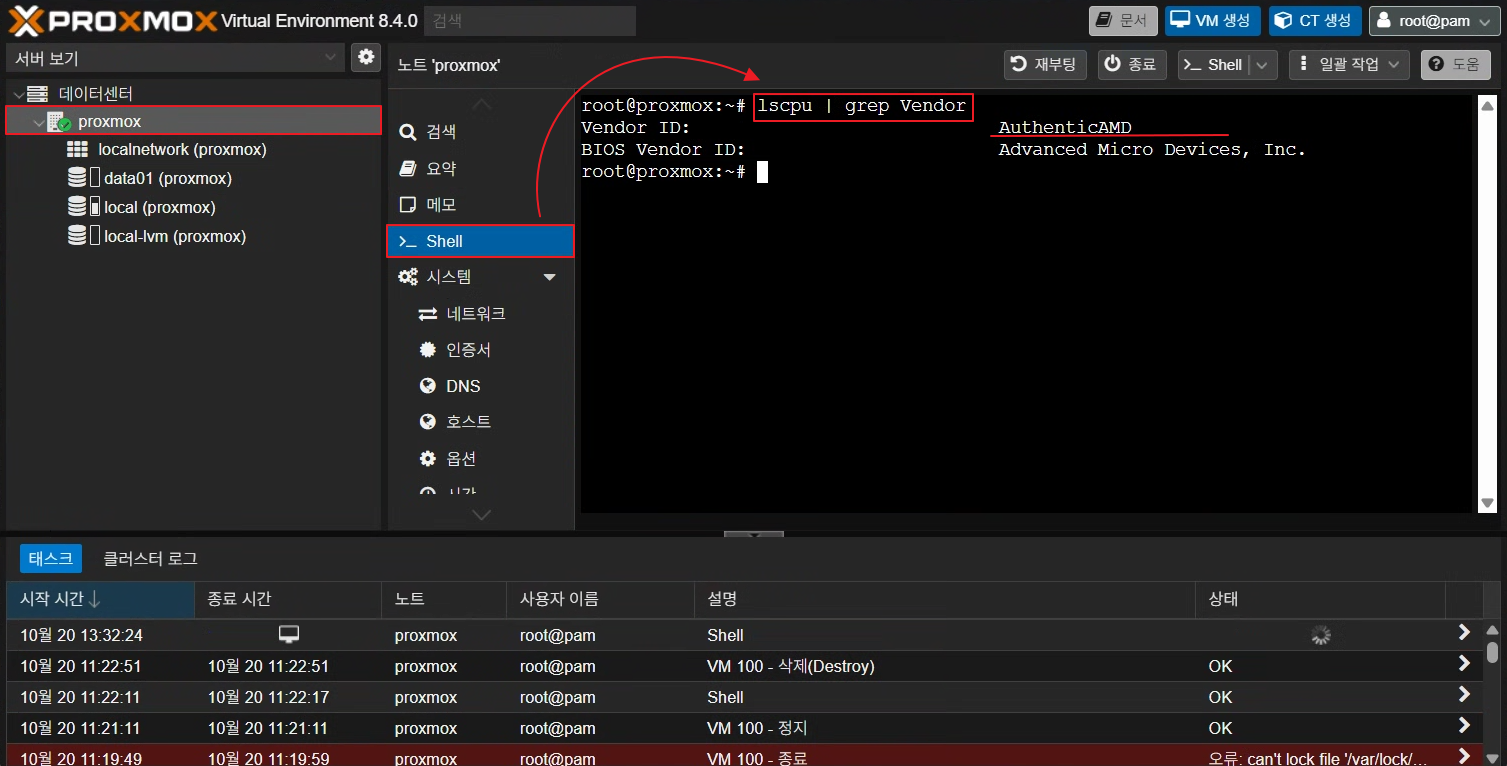
#CPU 제조사 확인 *Intel CPU : GenuineIntel, AMD CPU : AuthenticAMD
lscpu | grep Vendor
1.2 /etc/default/grub 파일 편집
nano /etc/default/grub

# 아래 줄 추가/수정: CPU 제조사 확인 후 반영

GRUB_CMDLINE_LINUX_DEFAULT="quiet intel_iommu=on iommu=pt"   # Intel
GRUB_CMDLINE_LINUX_DEFAULT="quiet amd_iommu=on iommu=pt"	 # AMD

# 적용 후

update-grub
Reboot

1.3 IOMMU 활성화 확인
dmesg | grep -e IOMMU -e DMAR
2.1 GPU 장치 확인
lspci | grep -i nvidia
2.2 VFIO(Virtual Function I/O) 모듈 로드
*호스트 시스템의 PCI 장치(GPU, NIC 등)를 안전하게 VM에 직접 연결할 수 있도록 해주는 드라이버 인터페이스
echo "vfio" >> /etc/modules
echo "vfio_iommu_type1" >> /etc/modules
echo "vfio_pci" >> /etc/modules
echo "vfio_virqfd" >> /etc/modules
update-initramfs -u
reboot
2.3 GPU 장치 바인딩
# PCI 장치 확인 명령어
lspci -n -s 07:00

# 출력 예시
# 07:00.0 0300: 10de:1c82
# 07:00.1 0403: 10de:0fb9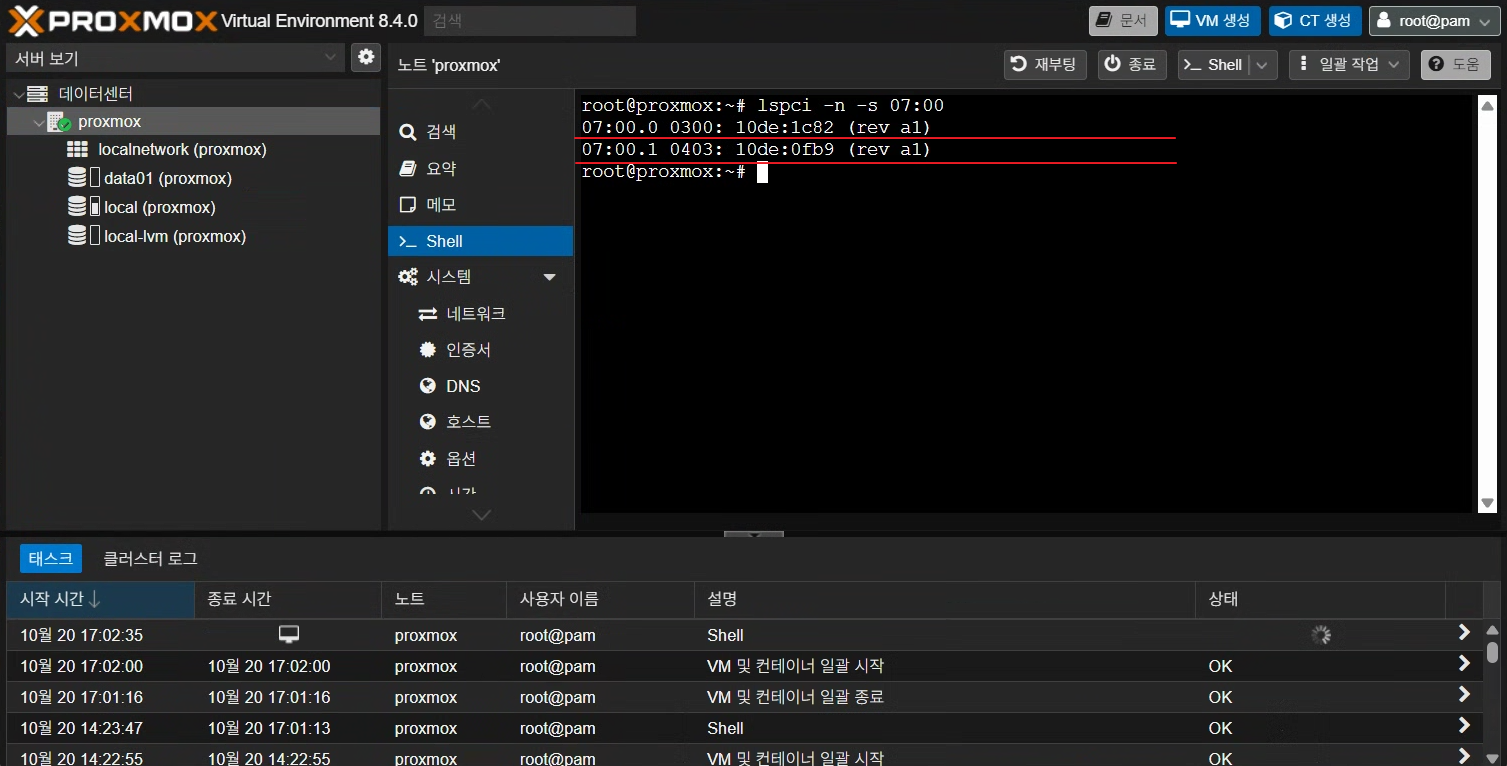
# GPU 장치 바인딩 후 재부팅
echo "options vfio-pci ids=10de:1c82,10de:0fb9" > /etc/modprobe.d/vfio.conf
update-initramfs -u
reboot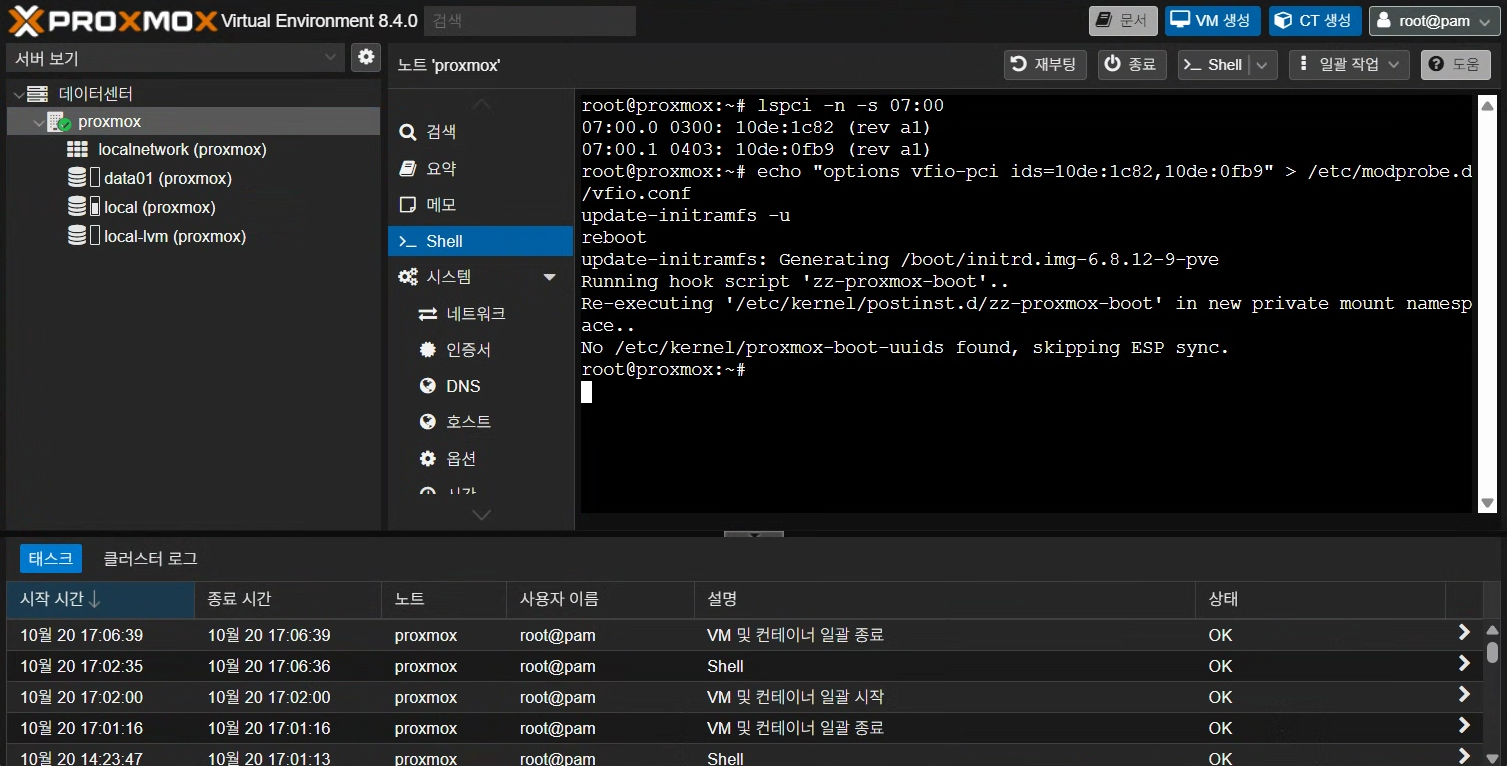
Next > VM GPU Passthrough 추가 및 NVIDIA 드라이버 + CUDA Toolkit 설치