1. 하드 디스크 물리적으로 추가하기
2. Windows 10에서 디스크 관리 열기
# 디스크 관리(K) 열기
diskmgmt.msc
Windows Key + R 실행창 ON

3. 디스크 초기화 및 포맷
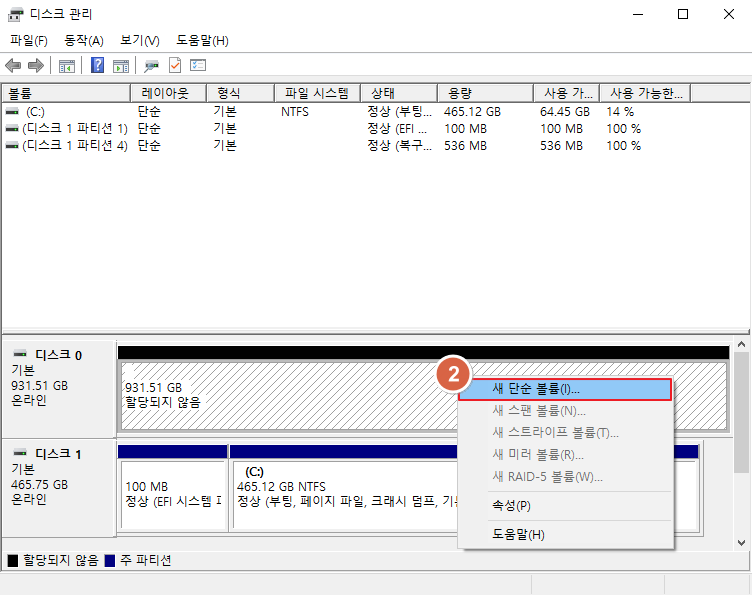
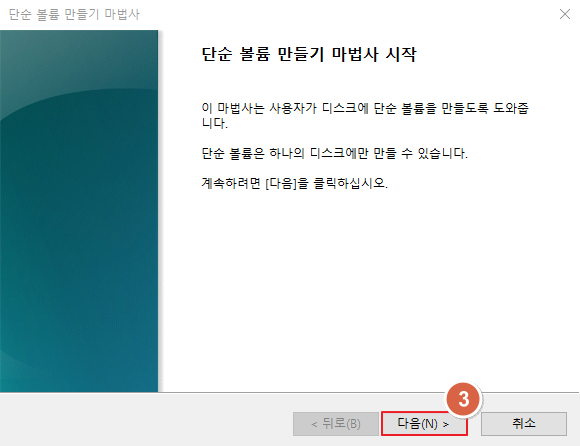

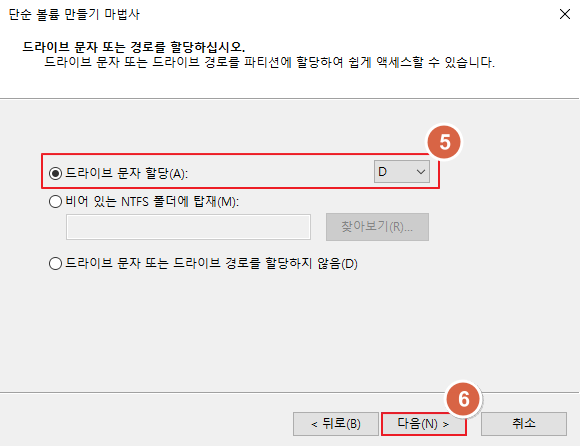


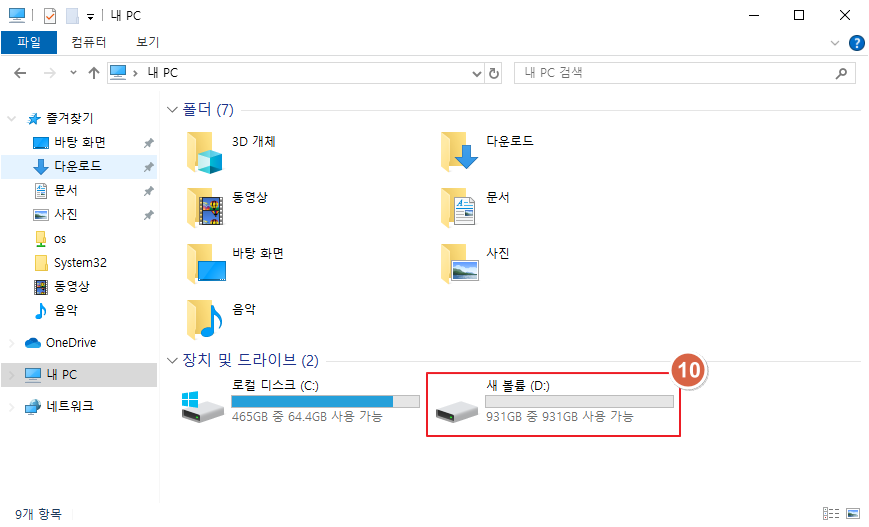
4. 디스크 사용하기
'Server > Windows' 카테고리의 다른 글
| [Windows] Windows 10 WSL2 Install 및 Ubuntu 22.04 실행하기 (0) | 2024.09.12 |
|---|---|
| [Windows 설정] CMD 색상 변경 (1) | 2024.09.05 |
| [Windows 설정] Telnet Client 설치하기 (Windows 10, 11, Server) (28) | 2024.08.22 |
| [Windows 설정] 고정 IP 설정하기 (25) | 2024.08.06 |
| [Windows 설정] Hostname 변경 (0) | 2024.07.25 |